
to get a personalized navigation.
to get a personalized navigation.

- Mark Topic as New
- Mark Topic as Read
- Float this Topic for Current User
- Bookmark
- Subscribe
- Mute
- Printer Friendly Page

Swagger webpage not working
this webpage is not working for me, tried Edge and Chrome
Visma.net Integrations Documentation


Hi,
Did you also clear the cached images and files?
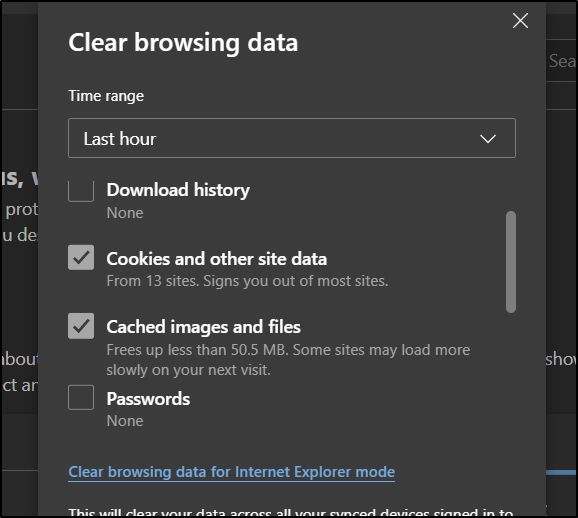
We can not reproduce any issues with the page since it was updated and we cleared cookies/cache.
I am only talking about viewing the endpoints, not authenticating.
Visma.net Integrations Documentation
I noticed if I click SHIFT+Refresh (Edge) it show the endpoints but if I later click only refresh I get an empty white page.
when I tried SHIFT-Refresh yesterday I only got a white page. so there is somthing wrong with the page
i have tried to clear cookies but it doesn't help
Hi,
Yes I included the information so that others can see it as well.
If a hard reset works, it means you have the page stored in cache, so clear browser cache as well and it should work.
Hi,
Please clear cookies and any settings you have set in your browser for swagger.
Then to be able to use Swagger, you need to have these roles:
1. API user, this needs to be set on atleast 1 company.
*Only the customer administrator can set this role on a user. If the role is not present in your companies, please contact partner service and they will help add the license.
2. Financials User & Financials Administrator is still required to perform all actions.
Useful pages
Contact us
Copyright © 2022 Visma.com. All rights reserved.
 Visma Finland
 Visma Latvia
 Visma Netherlands
 Visma Norway
 Visma Sweden
 Visma Developers & Partners
 Visma Latin America